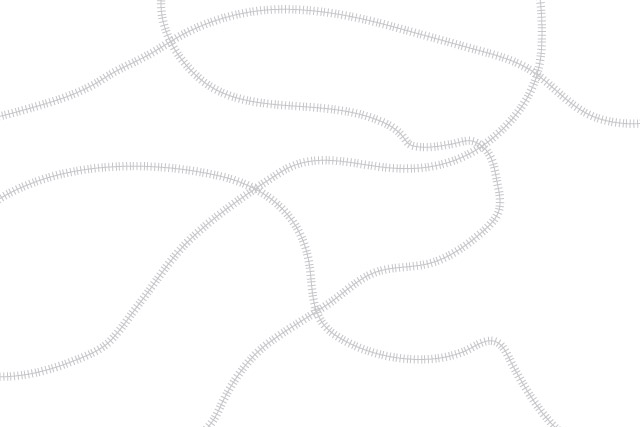
I needed a brush for drawing railway tracks in Illustrator and couldn’t find one, so I had to create one. Download this brush to draw railway tracks in Illustrator. You never know, you might have a use for it…
To use the brush, open the Illustrator file and open the Brushes palette to apply the brush style to any lines you draw. Adjust the scale of the brush pattern accordingly.
Be sure to check out all of the templates that are already online on the Templates page of the Jeffco site.
And if you found this one useful, be sure to check out some of our other free brushes:
ey !! thank you so much for the railway illustrator brush. !
it helped me a lot !!
Found you quickly via a googlesearch. Thanks for offering your effort freely.
My pleasure. Hope it was helpful.
Thank you. Going on a map!
Awesome, glad it was useful. Thanks for letting me know!
Thank you so much for the brush! You saved me hours of learning how to do this 🙂
You’re welcome!
Lifesaver thank you so much
This is awesome! Thank you sooo much! Cheers!
Glad it was useful!
THIS IS AMAZING – YOU ARE TRULY A LIFE SAVER! THANK YOU SO MUCH!
Glad to hear it. Enjoy!
thanks for the brush – most very kind of you.
My pleasure!
Fabulous! Thanks so much 🙂
You’re welcome!
Thank you! I thought I was going to have to do this myself, this saved so much time 🙂
Thank you! Looking for the line pattern to go on a map, this is perfect. Thank you for creating it for all of us.
You’re welcome!
Thank you!!!!!
You’re welcome!
This looks like exactly the brush I was looking for! Is it alright if I use it on map line drawing I’m doing for a job?
Absolutely, please feel free to use it however you want.
Jeff – THANK YOU!!
🙂
You’re welcome!
Nice one Jeff, worked a treat thanks for sharing
My pleasure!
This is brilliant. Thanks so much! Had to draw multiple tracks today, which would have taken me hours. This saved my life!
Glad it was useful!
Thanks a lot for this.
Having a little trouble changing the colour though? I’ve tried all the ‘colorization methods’ in the stoke options but it always stays grey! Any ideas?
I think you’d have to remake the brush. But the short, fast way is break the brush (Object>Expand Appearance) to make it entirely editable (but no longer editable). I’d keep a second copy on another hidden layer in case you have to make changes in the future…
Oh wait, no,
Thank you! Is there a way to change the brush stroke to 100% black?
Good question. My first thought was to just expand the appearance and choose black, but that means you couldn’t edit it. Fastest solution I came up with was use the Properties palette, click recolor, then the slider bar at the bottom all the way to left. There’s probably better, more precise options, but that shows it’s possible, while still keeping it editable. Ah, yes, you can get more precise if you use the Recolor Artwork button to specify the colour to change it to. That’s my first suggestions. If those are no good, let me know, there must be a better way…
Cheers for this, appreciate it
Glad to hear it!
Thanks so much for this! To answer the other questions about how to recolor it, I selected my new railroad tracks, went to Brushes and clicked Options of Selected Object. Under Colorization method, I clicked tints and shades and I was able to change the color to what I wanted.